
Understanding how landline phones work today is essential, especially with the UK’s upcoming landline switch-off in January 2027, as per Ofcom and OpenReach policy, read more here, and the move to digital and VoIP (Voice Over Internet Protocol) services. While many phones may have been plugged in years ago and still “just work”, the way they connect is changing.
Knowing how your handset is connected will help you avoid issues and choose the right setup for your home. In this guide, we explain all landline phone connection methods, including traditional wiring, router-based services, and VoIP solutions.
How Landline Phones Work Today: Explained
There are two main types of handsets: cordless phones and hard-wired phones…
Cordless (DECT) Phones
Cordless (DECT) handsets have grown in popularity over the last few decades due to the increase in quality, reduction in price and the simplicity of them. They connect in a very simple way, which is very reassuring.
There is a “Main Base Unit” which connects to the Telephone outlet, i.e., traditional telephone socket on the wall, the Broadband Router or a VoIP Adapter.
The handsets use DECT technology to connect to the Master Base unit, and the DECT range is generally up to about 50 meters indoors.
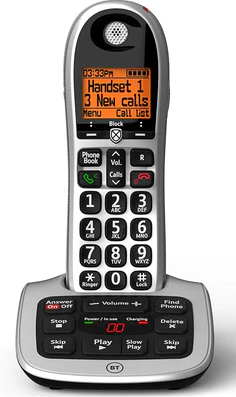
The additional handsets only plug into the mains electricity to be able to charge the Handset; they communicate directly with the Main Base Unit.
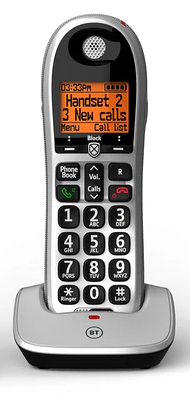
When moving to our VoIP service, the “Main Base Unit” connects to the VoIP Adapter (learn more here), and all of the Handsets will work straight away.
↑ Back to topHard-wired handsets
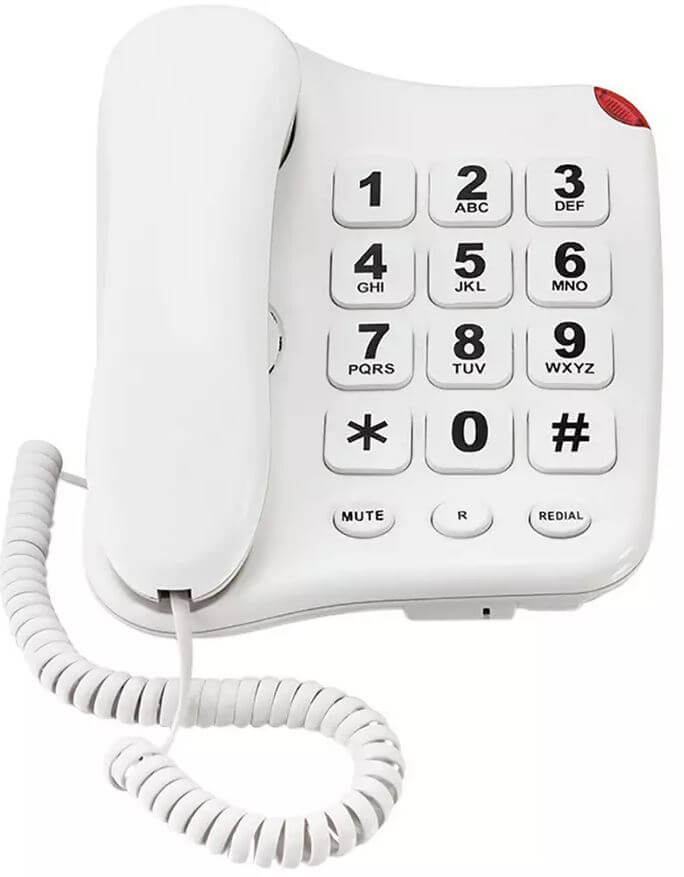
It is still commonplace for a simple hard-wired (non-Cordless) Landline Handset to be connected directly to the telephone source. They’re super simple, simply plug into the telephone source, and they work straightaway, in most cases, not even a need for an electricity power socket either.
↑ Back to top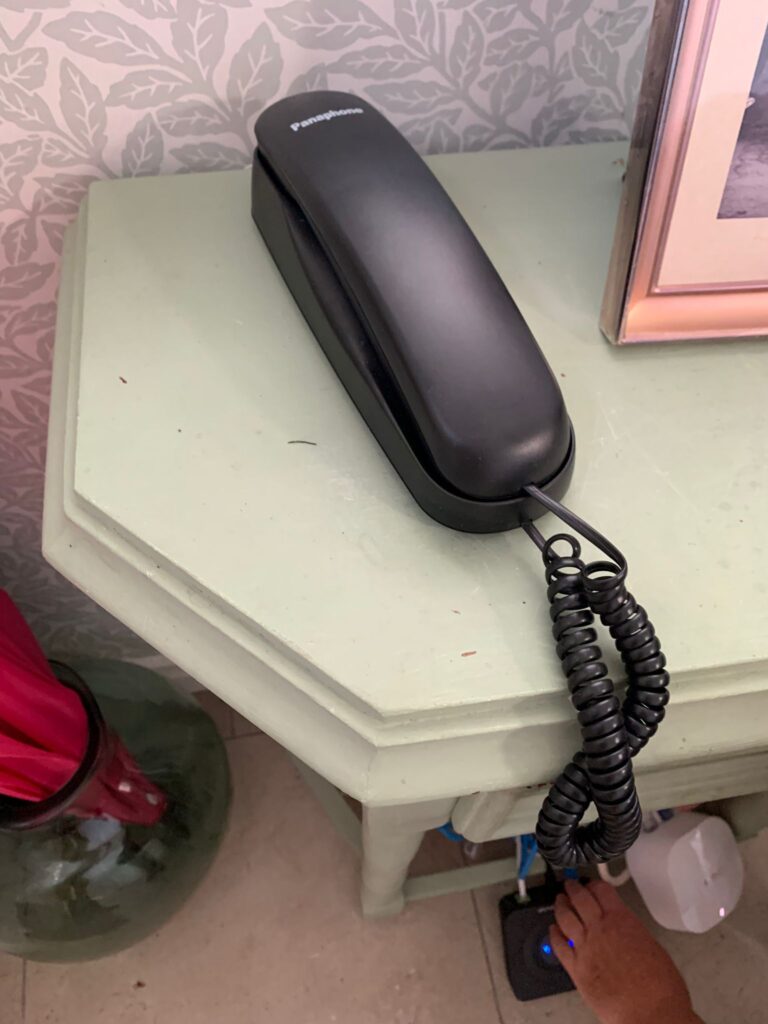
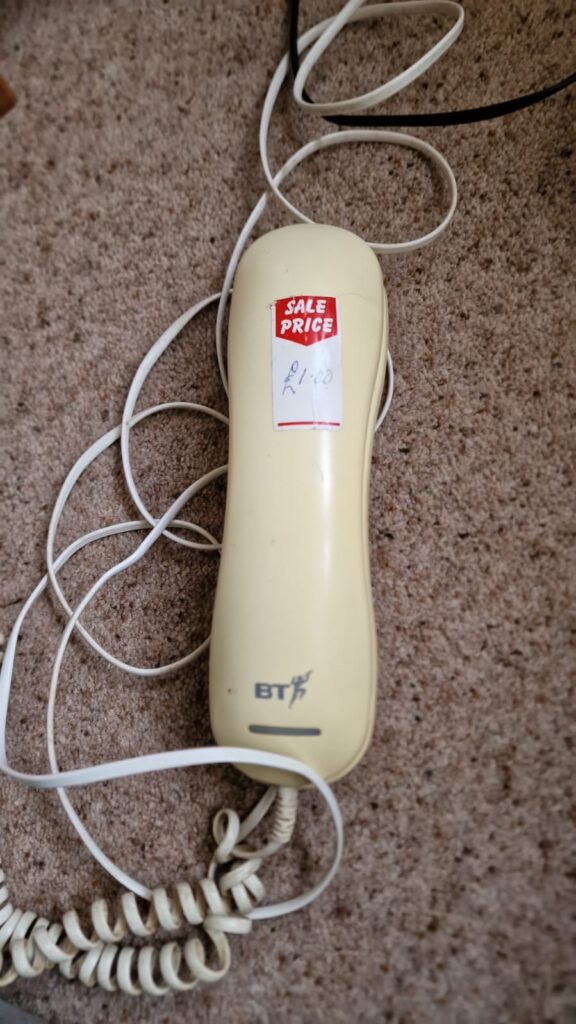
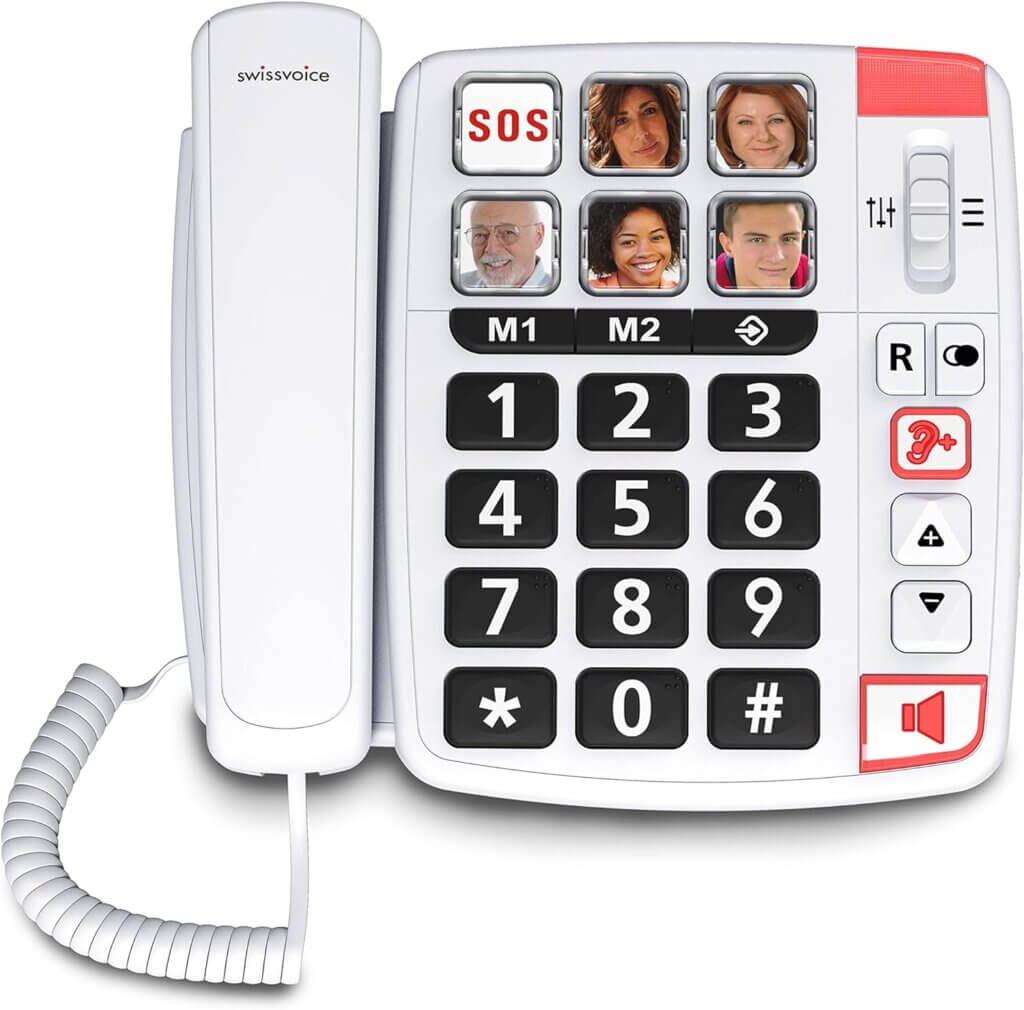


Types of Telephone Sockets on the Wall
Now that we’ve covered the common types of landline handsets, it’s also helpful to understand the different types of telephone sockets you may have on the wall.
Whether you’re using a cordless or hard-wired handset, these typically connect to a traditional telephone socket — either the master socket or an extension socket.
This is a key part of how landline phones work today, especially as traditional wiring setups are gradually being replaced by digital and VoIP-based connections.
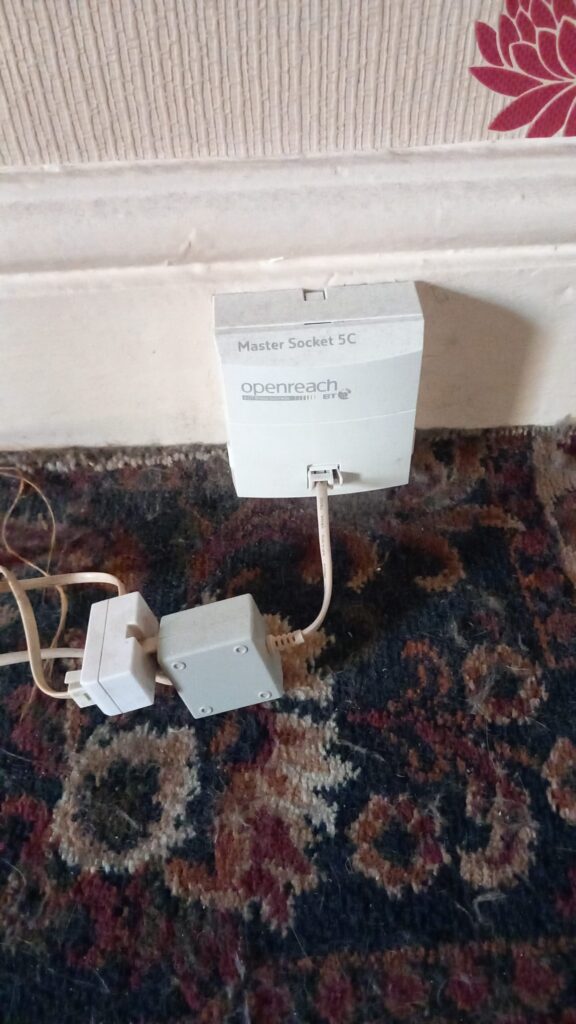
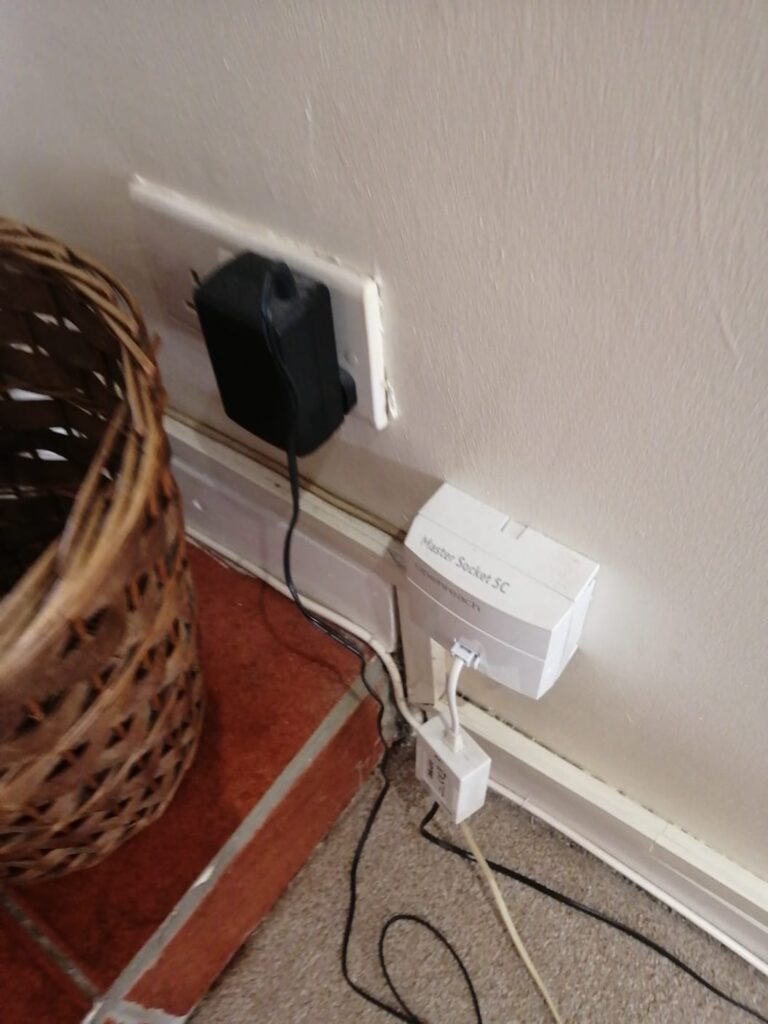
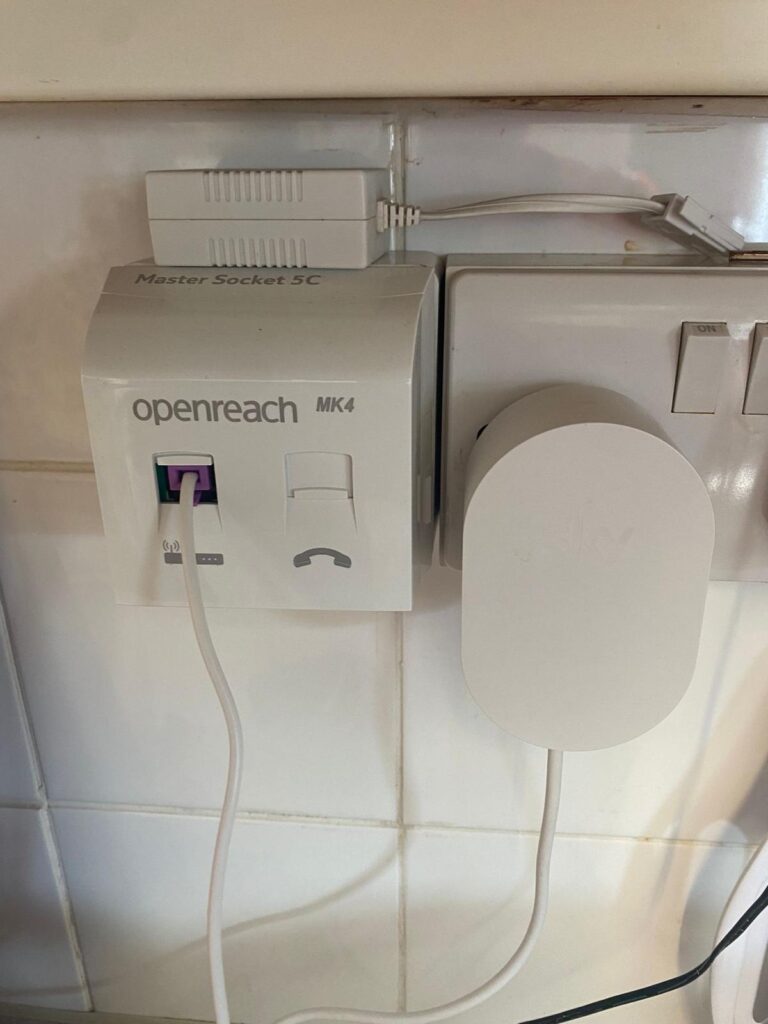
Master Telephone Socket
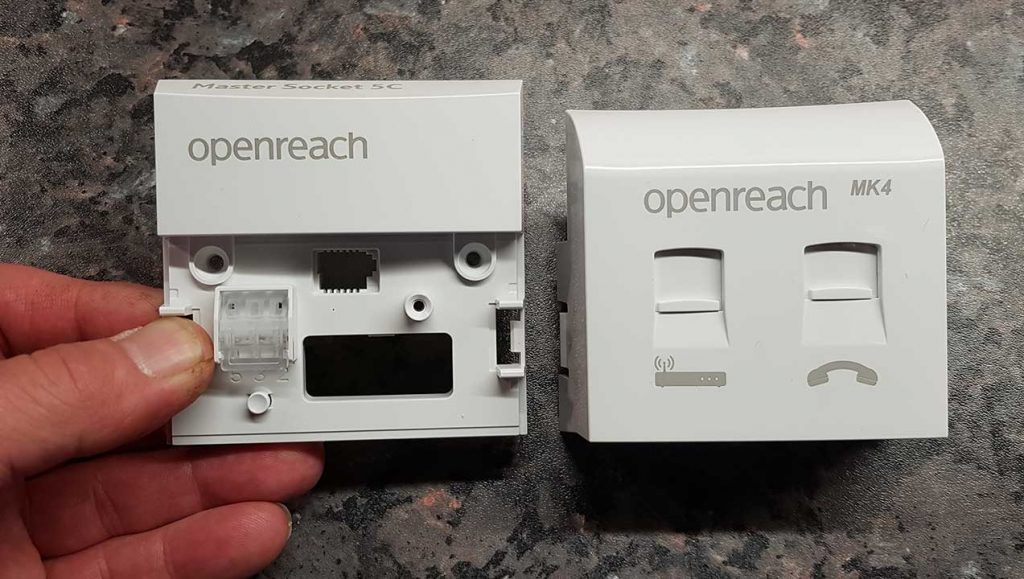
The “Master Telephone Socket” is the main telephone socket in the home and is where the main telephone cable comes in from the telegraph pole or possibly a router underground. It can be easily identified because, in most cases, it has a faceplate which can be removed by unscrewing the 2 visible screws…
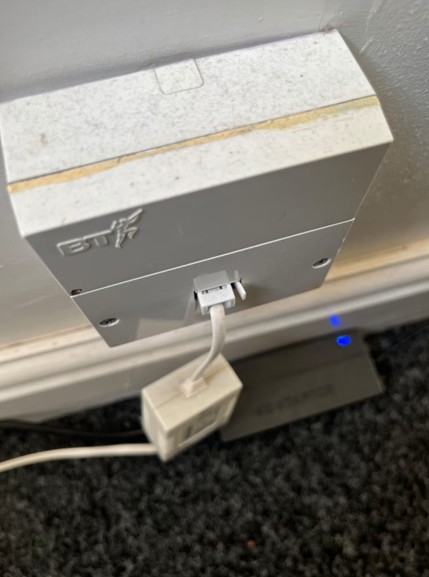
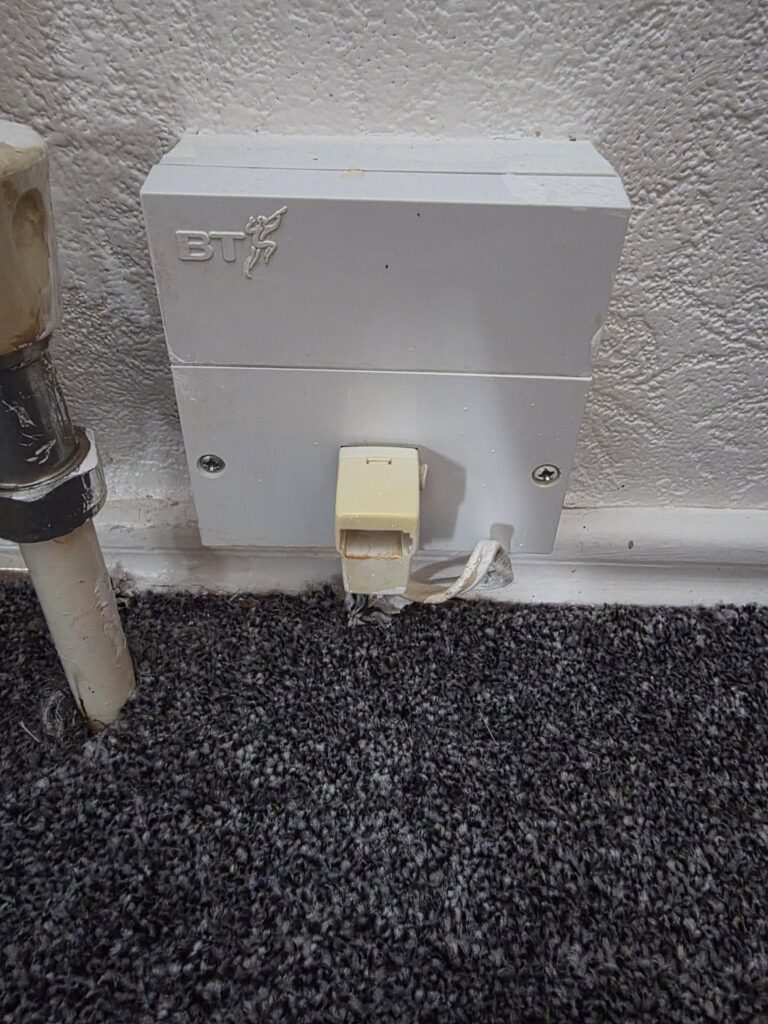
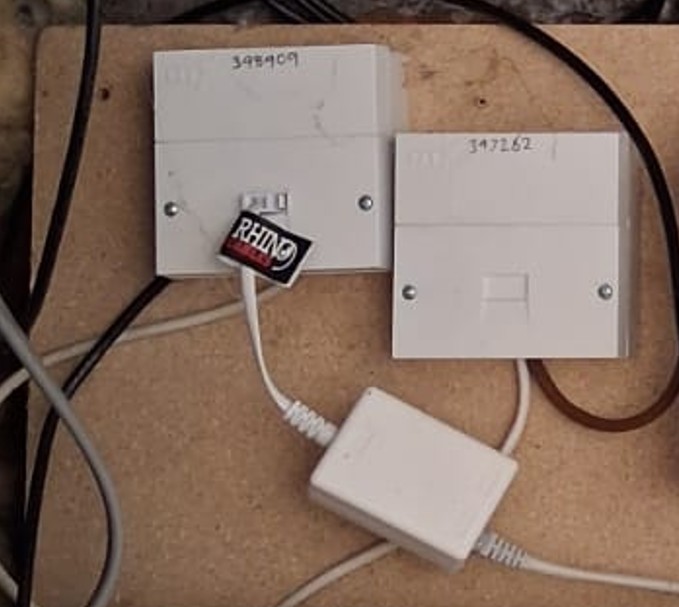
In some cases, applying pressure to either side of the faceplate will allow you to remove the faceplate like these…
Telephone Extension Sockets
Before cordless phones became popular, most homes used wired landline handsets connected via telephone extension sockets installed throughout the property.
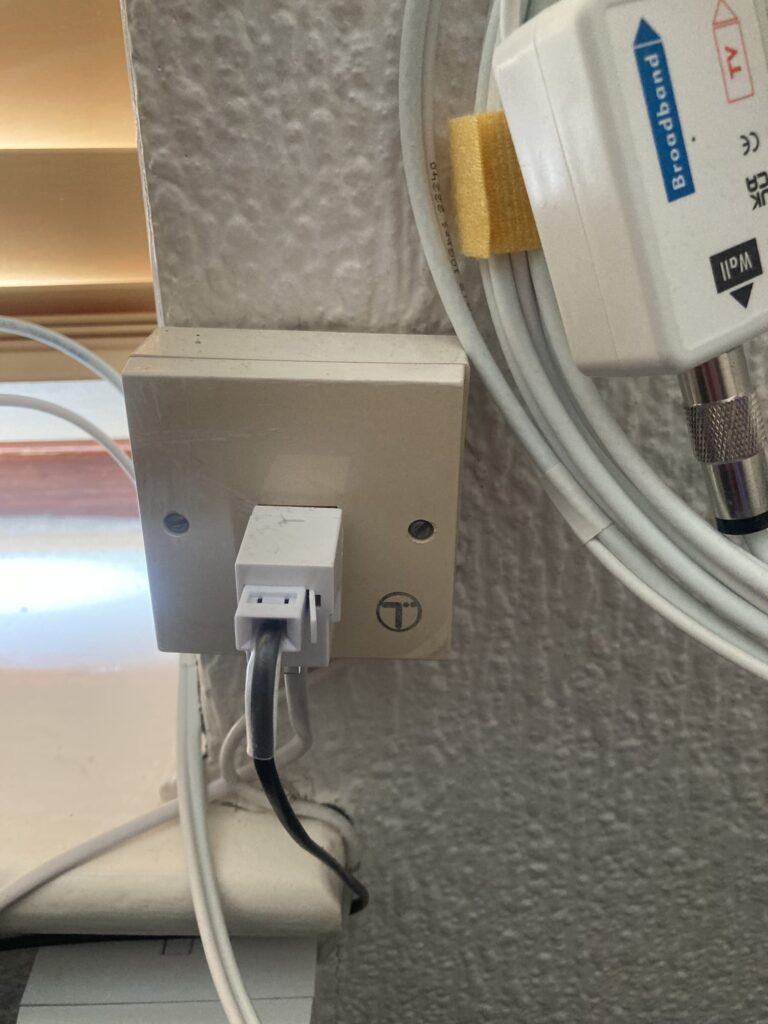
These extension sockets are connected back to the “Master Telephone Socket” in one of two ways:
- A – Hard-wired into the faceplate (fixed wiring behind the socket)
- B – Plug-in extensions (using a removable cable)
A – Hard-wired into the faceplate (fixed wiring behind the socket)
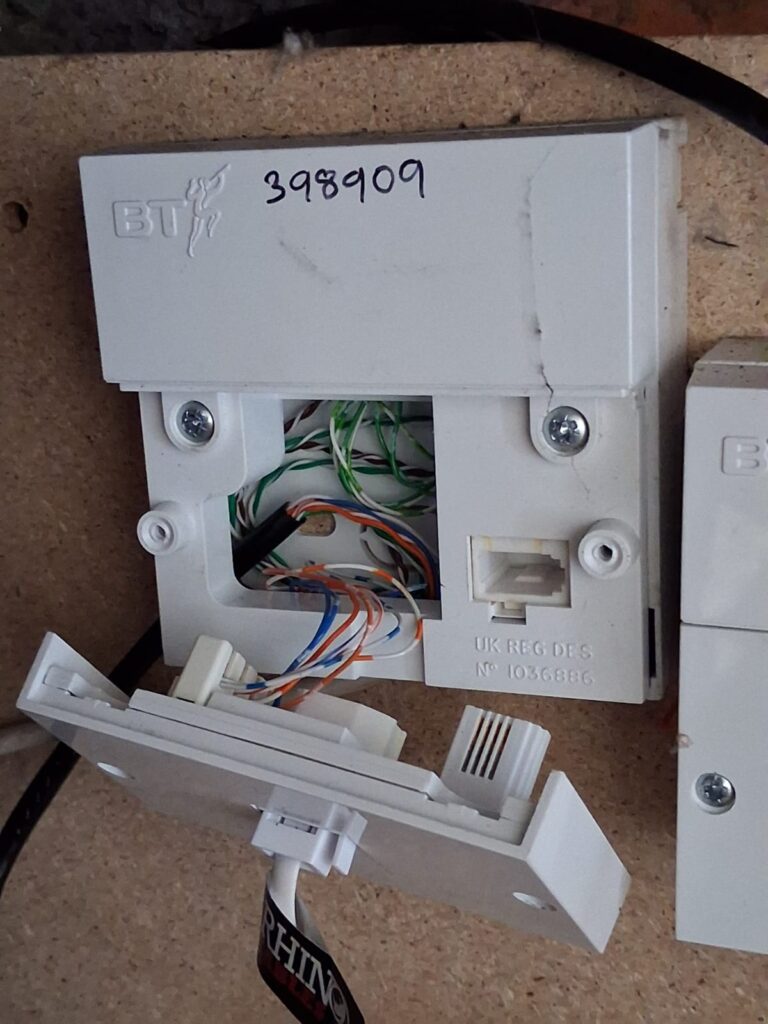
In the images below, you can see the black cable entering the master telephone socket. Inside this cable are the smaller blue, brown, and white wires, which are punched down into the back of the faceplate.
This black cable feeds a telephone extension socket elsewhere in the property. As a result, removing the faceplate will disconnect that extension socket, and it will no longer work.
B – Plug-in extensions (using a removable cable)
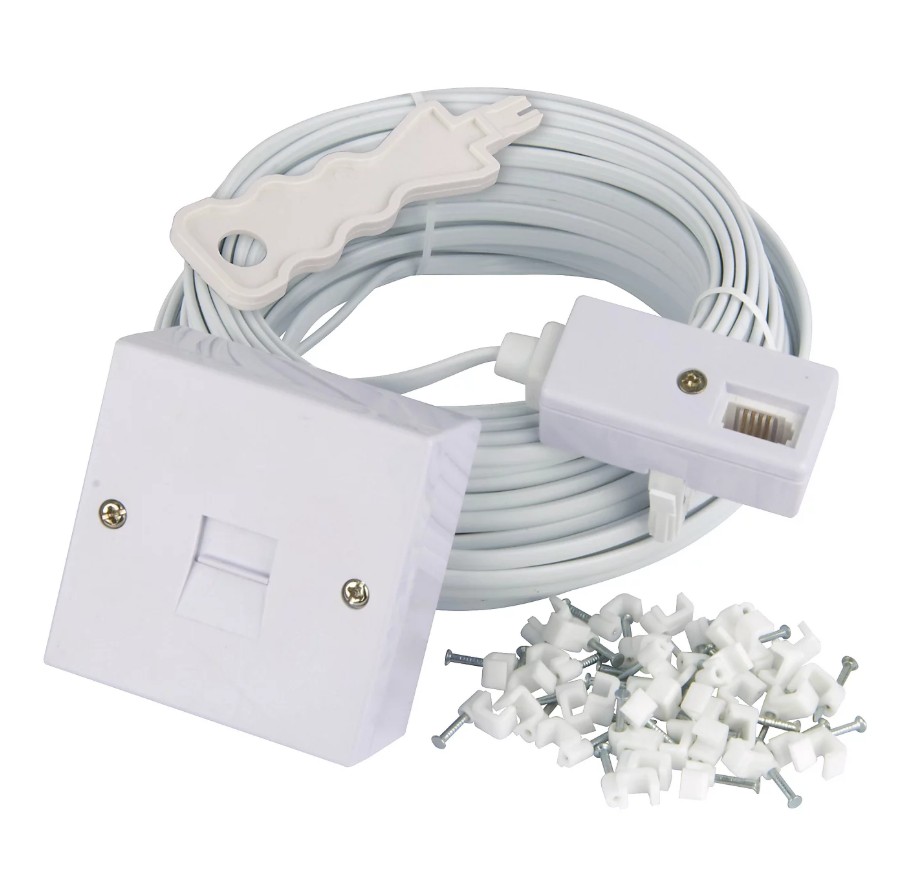
This cable plugs into the front of the master telephone socket, acting as a pass-through. It allows other devices to remain connected at the main socket, while also running a cable to an additional socket elsewhere in the home.
When switching to Digital Voice / VoIP, these extensions can present some challenges.
- Hard-wired extensions (connected directly into the faceplate) will no longer function and cannot be used with VoIP services.
- Plug-in extensions, however, can be connected to the front of a VoIP Adapter (learn more here) and will continue to work.
That said, in many homes, the broadband router and VoIP adapter are not located near the master telephone socket (where the extension cable is wired to), which can make this setup less practical.
In most cases, it’s simpler and more cost-effective to use cordless (DECT) phones, which are available in multi-handset packs (often up to 5).
Once you understand how landline phones work today, it becomes much easier to decide which setup is right for your home.
BT Digital Voice Connections
In the past, BT provided landline services via the master telephone socket using the Openreach network. However, this has changed in recent years as customers are moved over to BT’s “Digital Voice” service.
BT landline handsets are now typically connected to the router, as the landline service is configured within the router itself. This is straightforward for BT, as they supply and fully control the router.
There are several ways to connect handsets to BT Digital Voice, but in all cases, they ultimately connect to the BT router — either directly, wirelessly, or via a “Digital Voice Adapter” that plugs into a power socket.
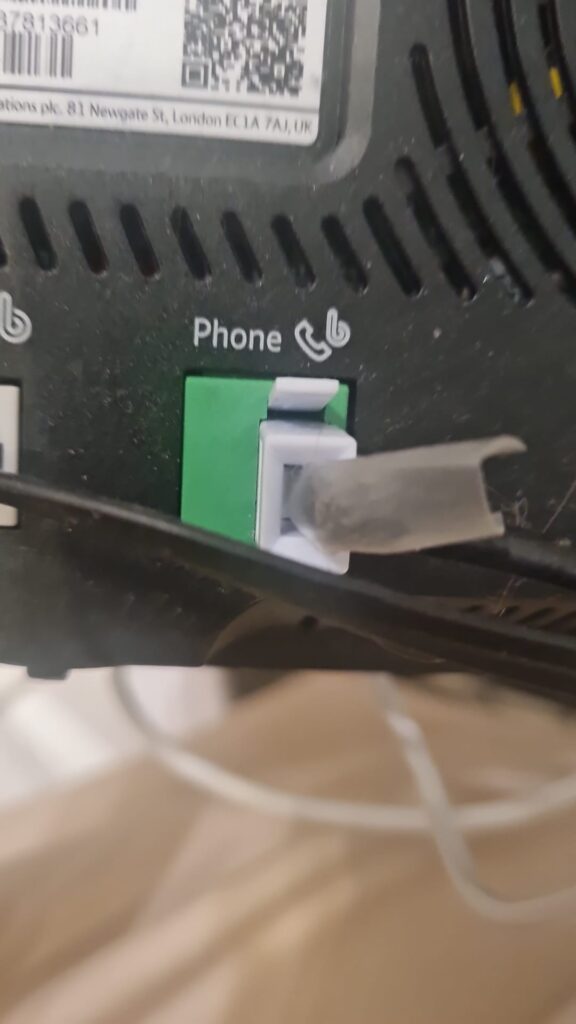
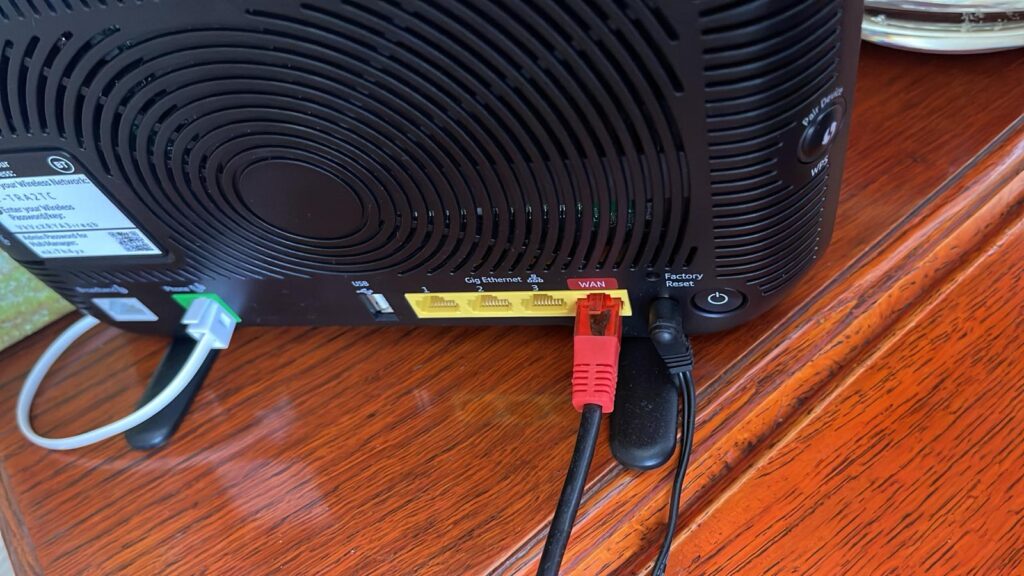
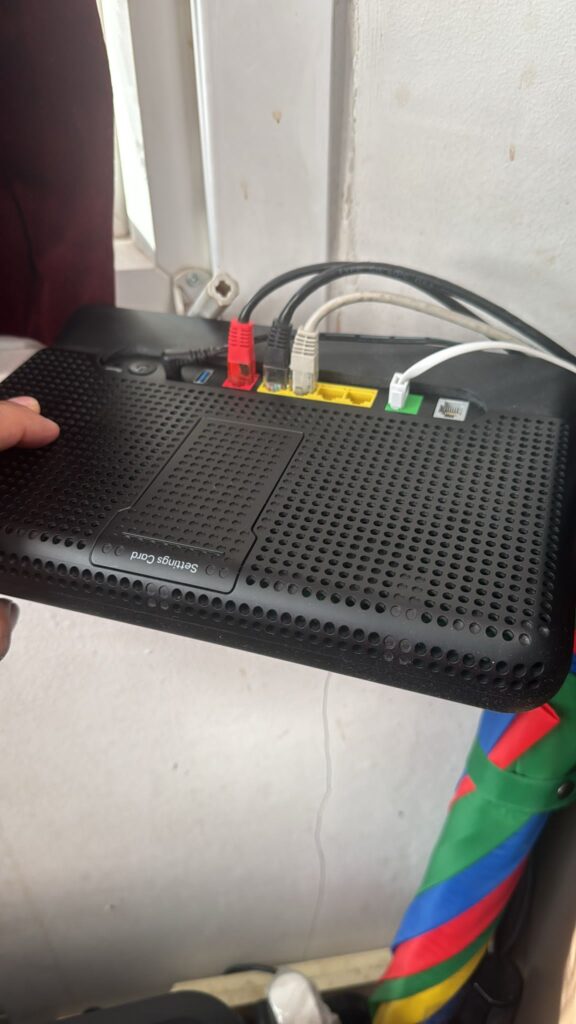
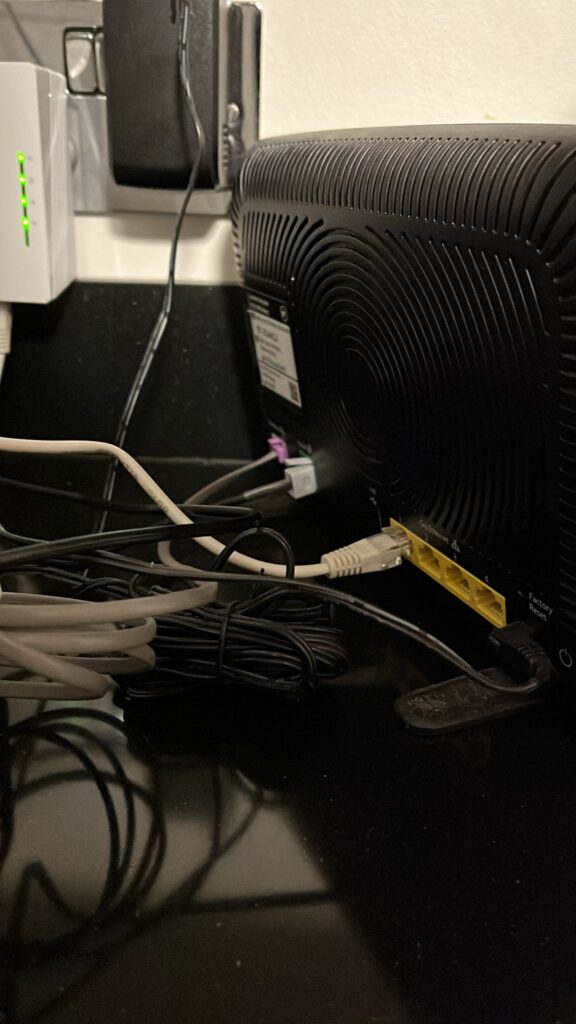
Type 1 – Direct connection to the BT Router
The landline handset plugs into the green port on the back of the BT router. This can be either the main base unit for a cordless DECT system or a standard wired handset.
Once connected to the router, all calls are routed through the broadband connection rather than the traditional telephone line.

Type 2 – Digital Voice Handsets
These handsets can be confusing at first glance, as they appear to only plug into a mains socket for charging, with no visible connection to the BT router.
That’s because they are designed to work exclusively with BT routers only. This means if you switch broadband providers, the handset will no longer work.
If keeping these existing handsets is important, you would need to remain with BT for your broadband service.

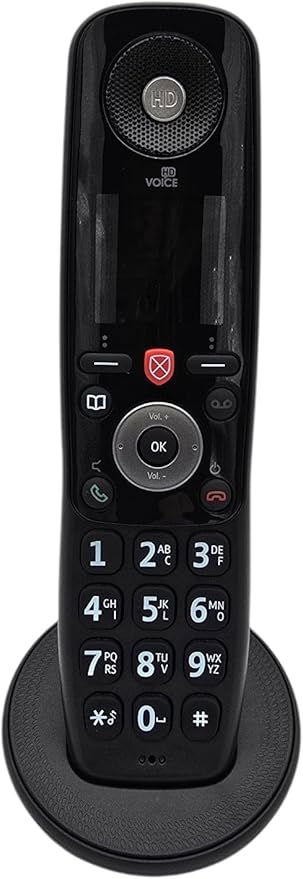
Alternatively, you can switch to a more flexible setup by using a standard cordless or hard-wired landline handset (like these) with one of our VoIP Adapters. This allows you to keep your phone service while choosing the broadband provider that best suits your needs.
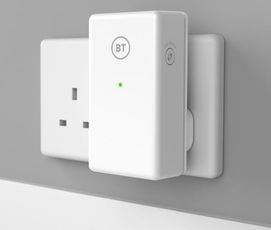
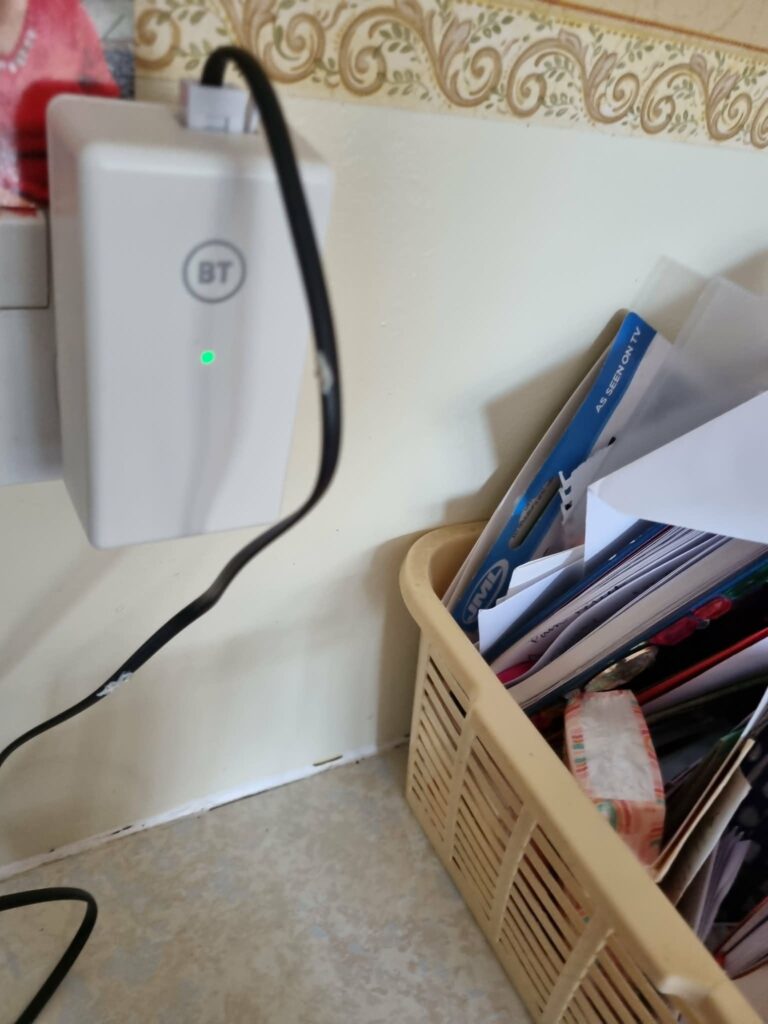
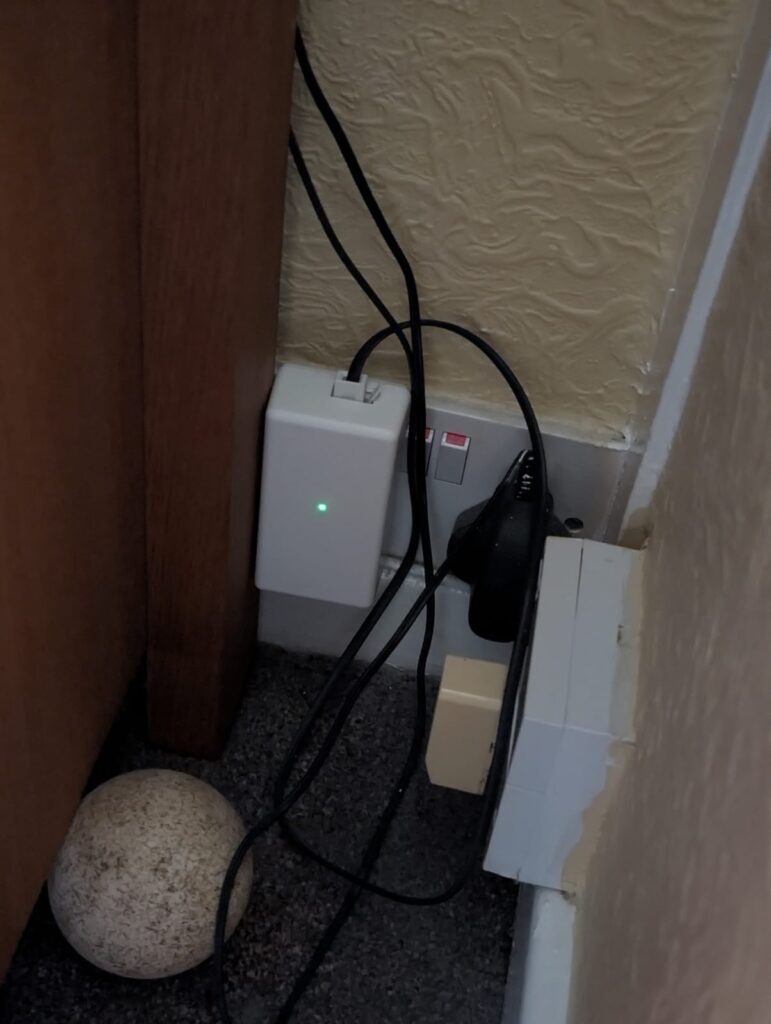
Type 3 – Digital Voice Adapter
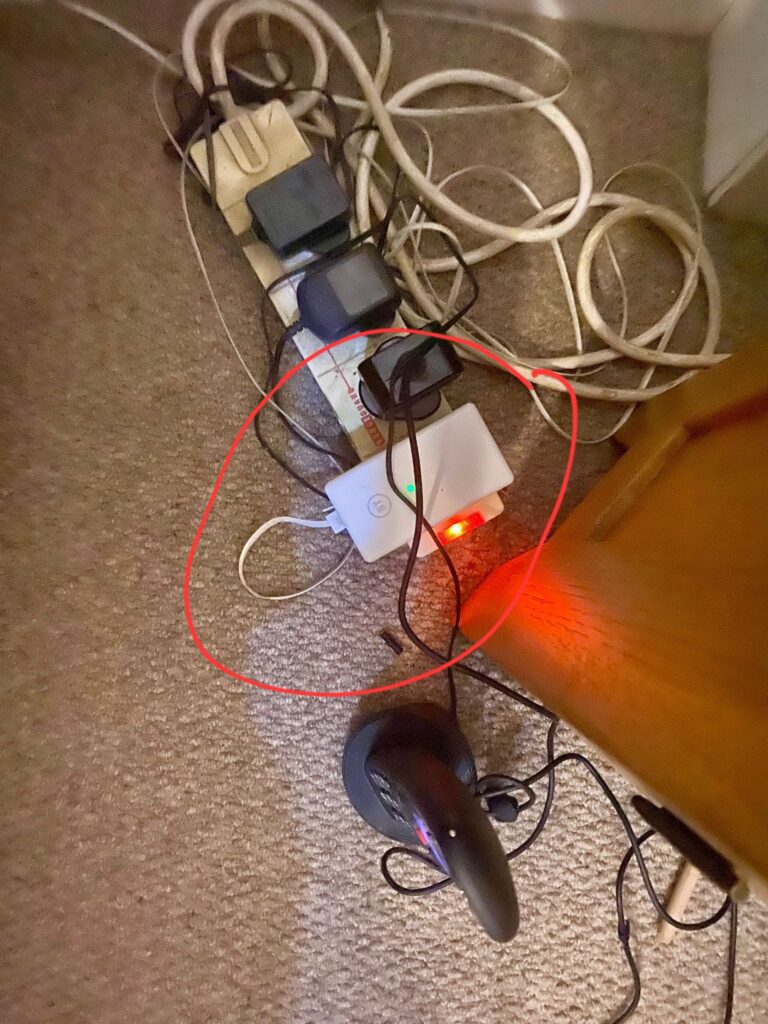
These devices plug into an electricity socket, the landline handset plugs into it, and the conversation is then relayed to the BT Router. They are very handy if connecting the Landline handset directly to the router is not feasible.
Please note that they ONLY work with BT Routers and therefore the Broadband supplier would need to remain with BT if the Digital Voice Adapter is essential. We do suggest a possible solution to this below.
Virgin Media Connections
In the past, Virgin Media provided landline services through a dedicated telephone socket on the wall. However, in recent years, this has changed.
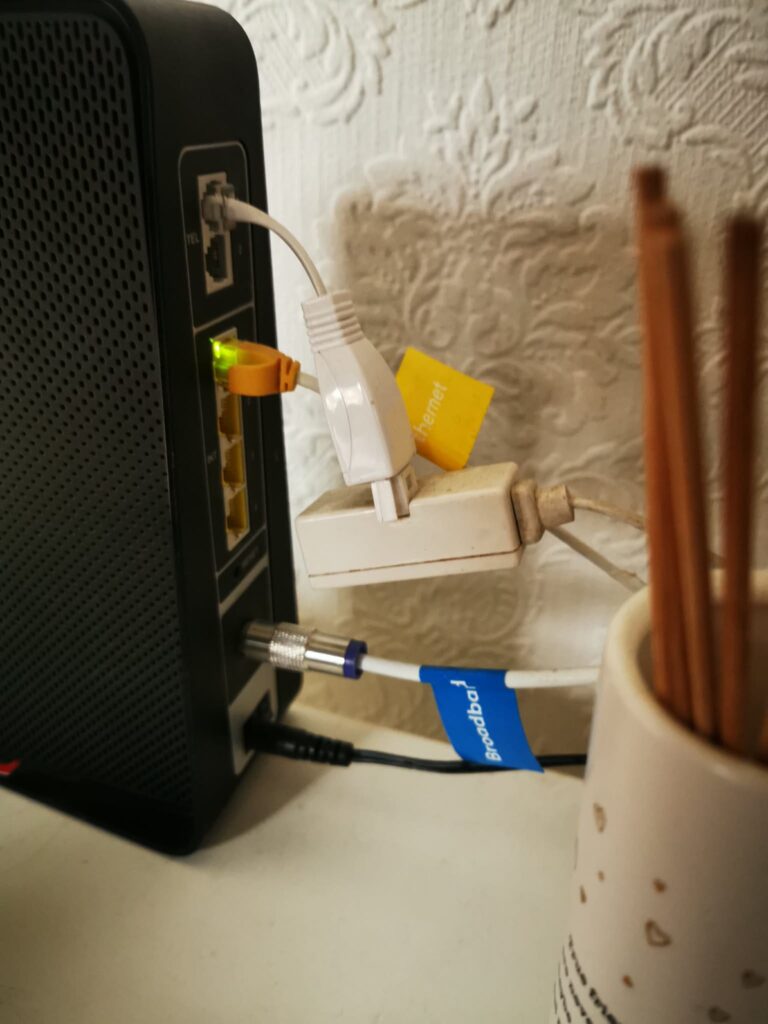
Virgin Media landline handsets are now typically connected directly to the router using a small adapter cable, as shown below.
This is because the landline service is configured within the router itself, which is straightforward for Virgin Media, as they supply and fully control the router.
To use a Digital Voice service from Virgin Media, the Virgin Media Router has to be used, therfore the Broadband supplier must remain as Virgin Media. We do have a solution below.
EE, Sky, TalkTalk & Vodafone Connections
In the past, EE, Sky, TalkTalk & Vodafone provided landline services via the master telephone socket using the Openreach network. However, this has changed in recent years as their customers are moved over to their “Digital Voice” service.
EE, Sky, TalkTalk & Vodafone landline handsets are now typically connected to the router, as the landline service is configured within the router itself. This is straightforward for EE, Sky, TalkTalk & Vodafone, as they supply and fully control the router.
To use a Digital Voice service from EE, Sky, TalkTalk or Vodafone, the Router supplied by the relevant provider has to be used, therfore the Broadband supplier must remain as EE, Sky, TalkTalk or Vodafone. We do have a solution below.
↑ Back to topMoving away from BT, EE, Sky, TalkTalk, Virgin Media or Vodafone Digital Voice?
Modern VoIP services are a key part of how landline phones work today, replacing traditional analogue connections. We can supply a VoIP adapter (if requested/ordered), which connects to your router and a mains power source.
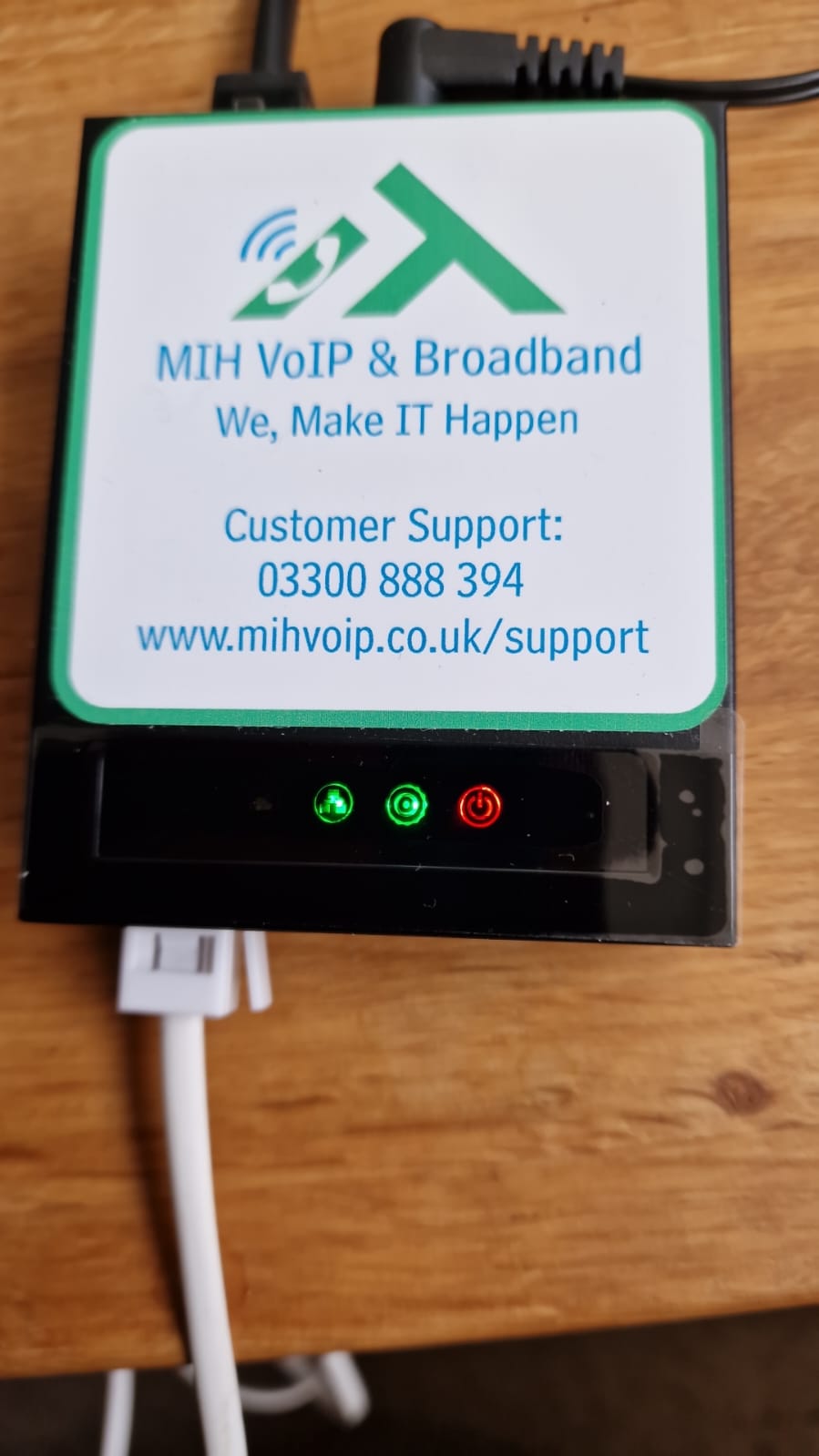
Once your landline number has been ported to us, your handset simply plugs into the front of the VoIP adapter. All calls are then routed through your broadband connection.

Possible solution to the BT Digital Voice Adapter
The Ethernet cable supplied with our VoIP Adapter is 1 metre in length, but you are not limited to this distance.
Ethernet cables can reliably run up to 100 metres (328 feet) without any loss in performance, and are available in a wide range of lengths (5m–100m easily available from places like Amazon and Argos, etc.), allowing you to position your VoIP Adapter exactly where you need it.
As long as there is access to a mains power socket (to power the VoIP Adapter), you can extend the connection and place the VoIP Adapter in a more suitable location within your home or office.
For the best performance, we always recommend a hardwired Ethernet connection, as this is significantly more stable and dependable than Wireless or HomePlug connections.
Do I have to use a VoIP adapter? Why can’t the VoIP service be programmed directly into my router?
You can use the VoIP app on a mobile phone, tablet, or computer to make and receive calls using your landline number. Many of our home-based and business customers use this to keep their landline with them wherever they go.
If you prefer to use a traditional handset — and are not using BT, EE, Sky, TalkTalk Virgin Media, or Vodafone’s Digital Voice service via their router — then you will need a VoIP adapter from us.
In some cases, we can program the VoIP service directly into a compatible router (such as Technicolour or TP-Link). However, as we don’t have direct access to your router, this can be more difficult to set up and manage.
There’s also a risk that if the router is replaced or factory reset (either by you or your broadband provider), the VoIP settings will be lost and need to be reconfigured.
The advantage of using our VoIP adapter is that it works with any broadband connection or router. If your router is replaced or reset, your VoIP service will continue to work without interruption.
Additionally, if the VoIP adapter itself is ever factory reset, it will automatically reconfigure with your VoIP service details.
By understanding how landline phones work today, you can confidently prepare for the move to digital and VoIP services.
↑ Back to topVoIP Handsets
A VoIP handset includes advanced built-in features such as call transferring, high-definition (HD) audio, multiple line support, a display screen for call information, and programmable buttons for quick access to contacts or functions. These features are part of the handset itself, unlike traditional landline phones which are typically limited to basic calling.
While these features can be useful in business environments, they are often unnecessary for most home users. The cost of VoIP handsets also makes them less cost-effective as a replacement for a typical household setup. Prices are usually around £100 for a base unit with one handset, with additional handsets costing around £80 each, or approximately £120 for a WiFi-connected portable handset.
We can provide VoIP Handsets if required, and here are a few examples.
Yealink W76P Cordless DECT Handset
The Yealink W76P is a cordless VoIP handset system that includes a base station and a DECT handset, designed primarily for business environments. It connects to your network via the base unit and allows you to make and receive VoIP calls wirelessly around your home or office.
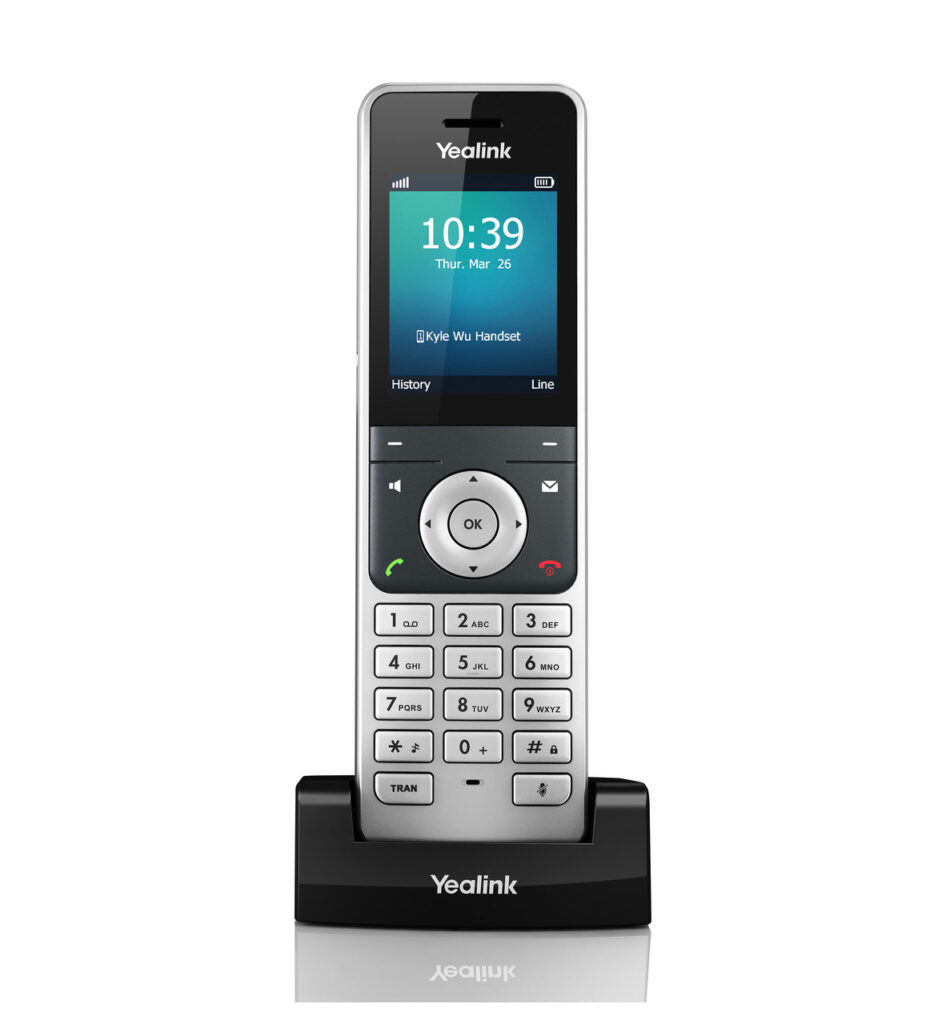
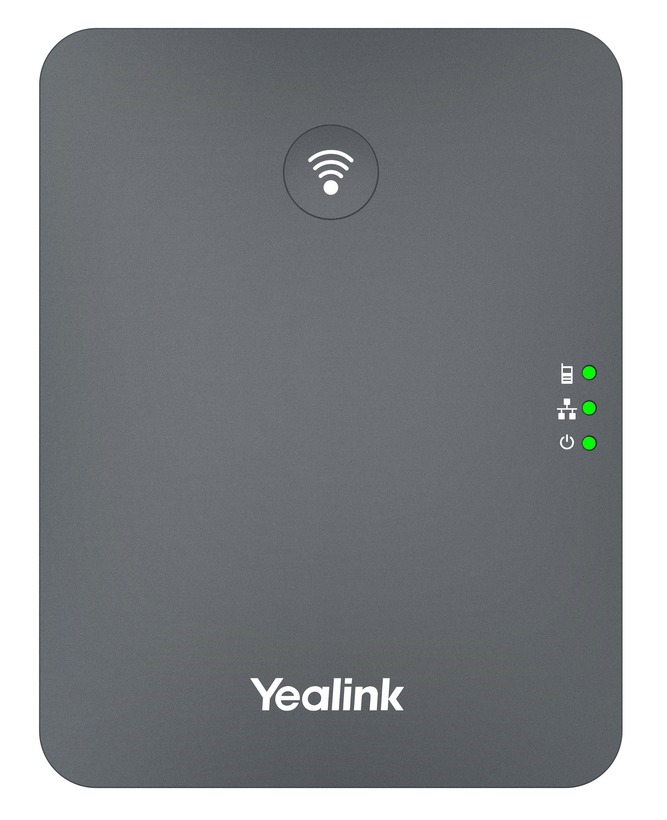
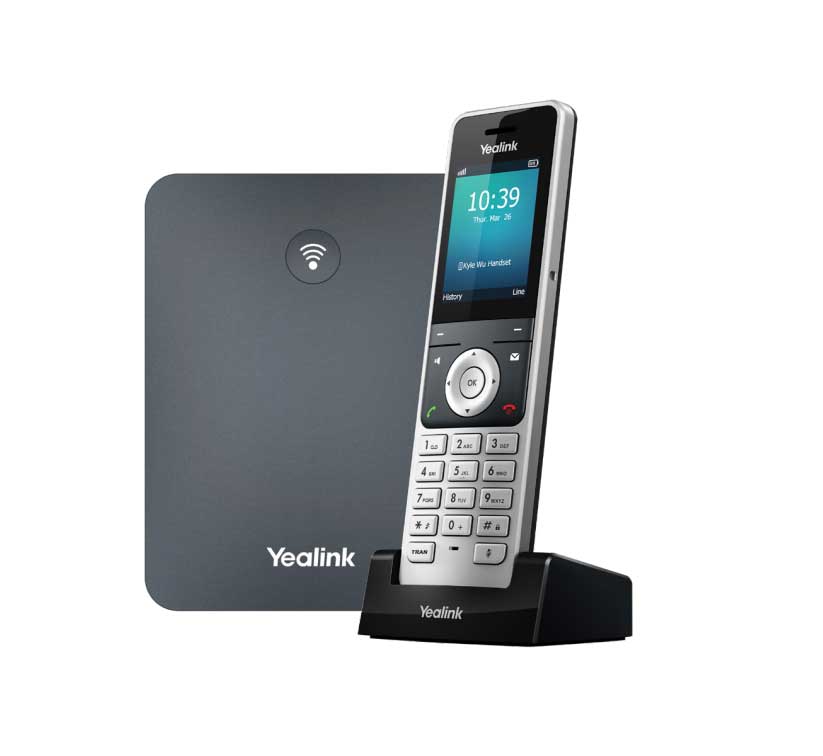
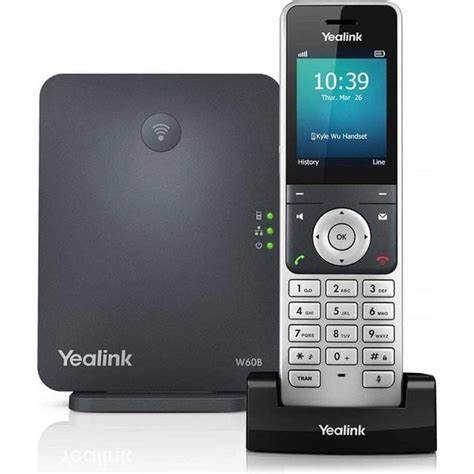
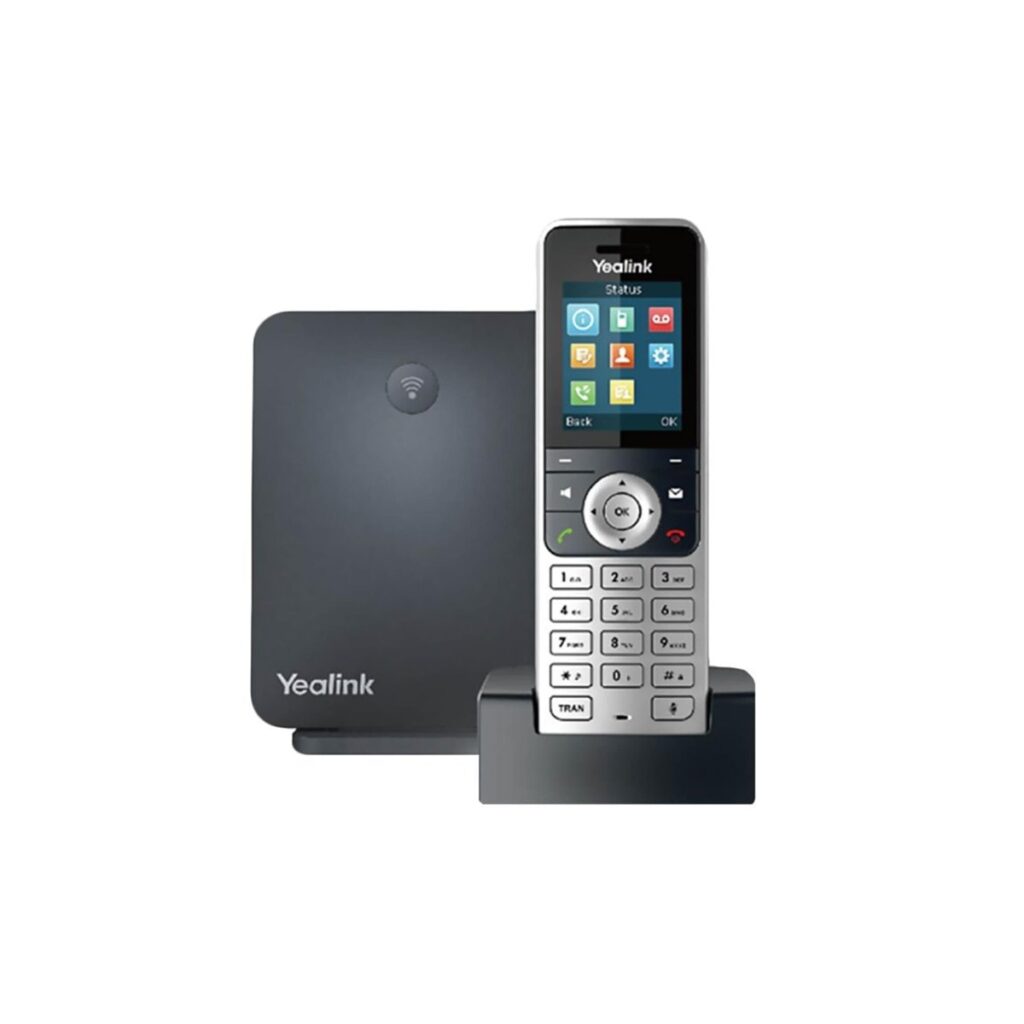
The system supports multiple handsets, lines, and simultaneous calls, making it ideal for users who need flexibility and mobility. It also features a colour display, HD audio quality, and long battery life, providing a reliable and professional communication experience.
Yealink AX83H WiFi Handset
The Yealink AX83H is a portable WiFi-based VoIP handset designed for business environments, allowing calls to be made over a wireless network without the need for a base station. It connects directly to your WiFi, providing mobility throughout a home or workplace.
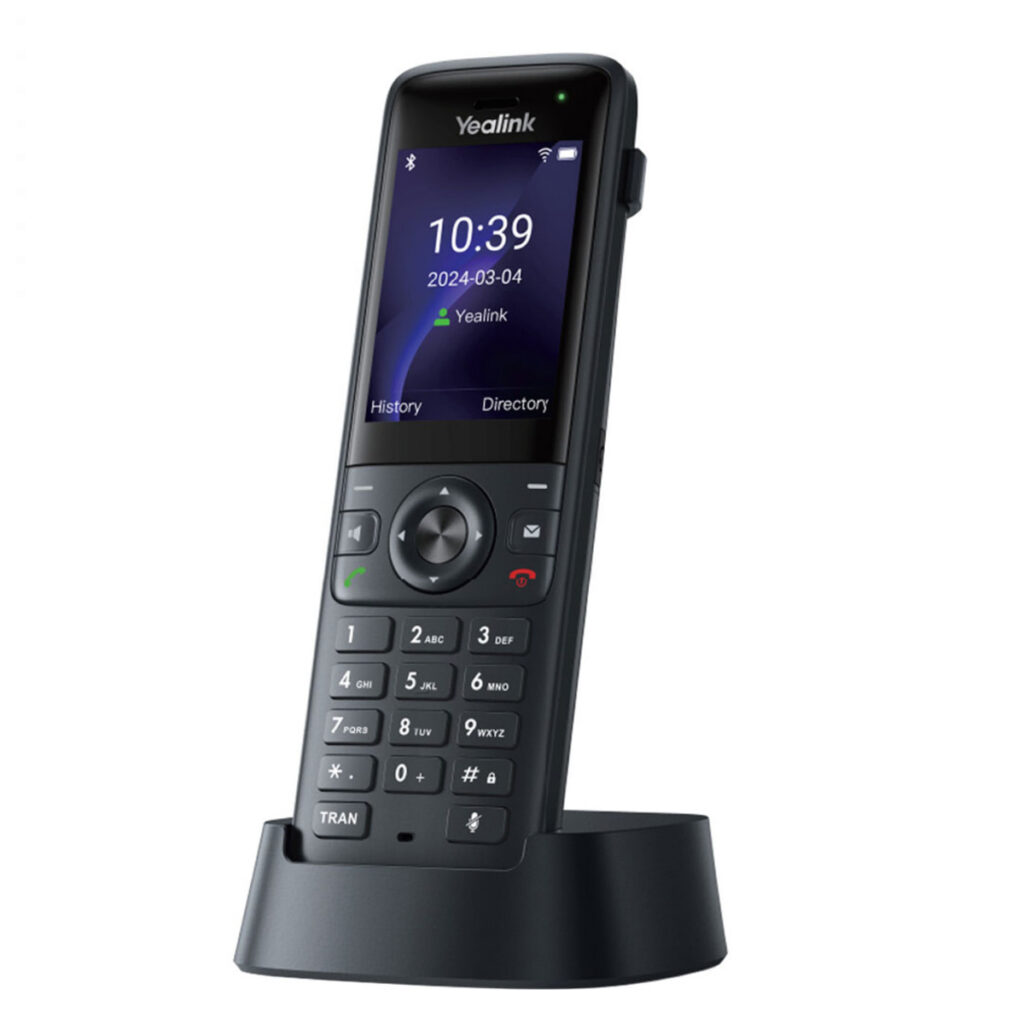
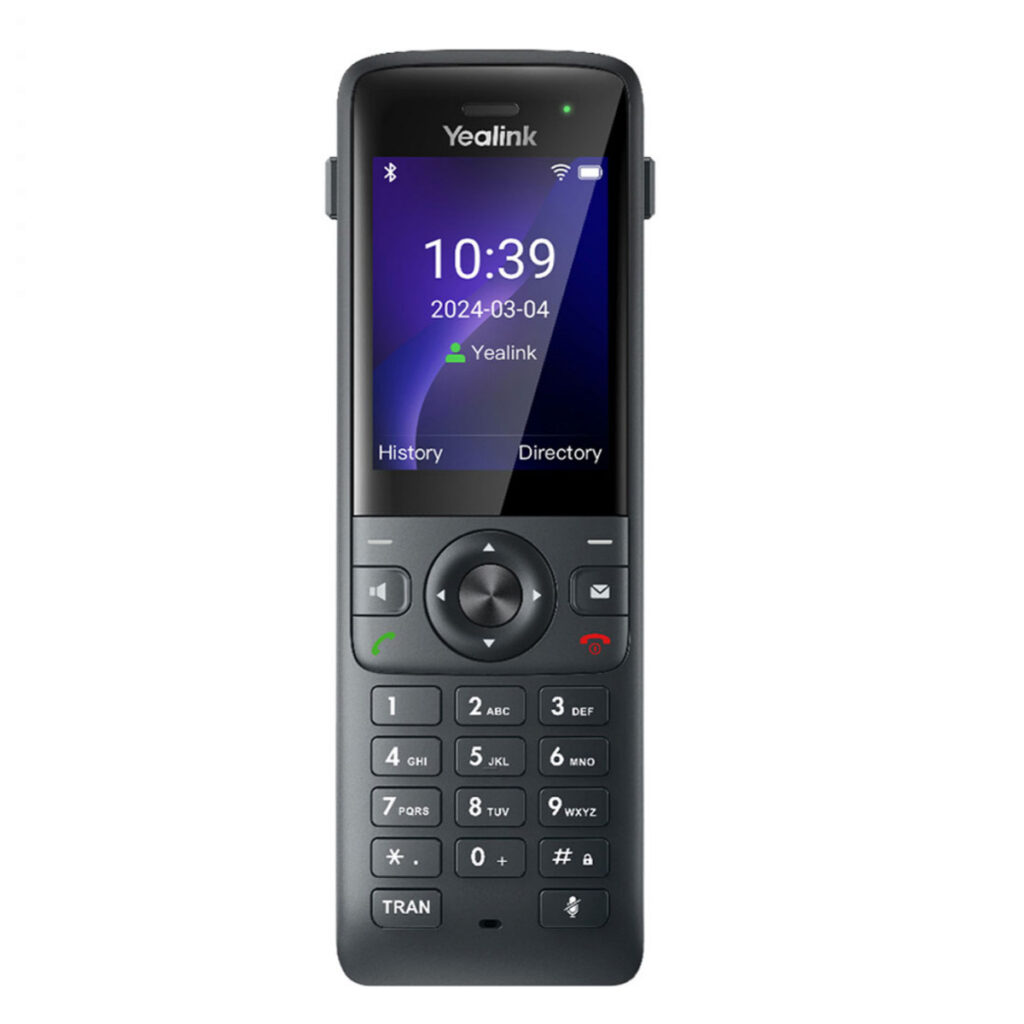
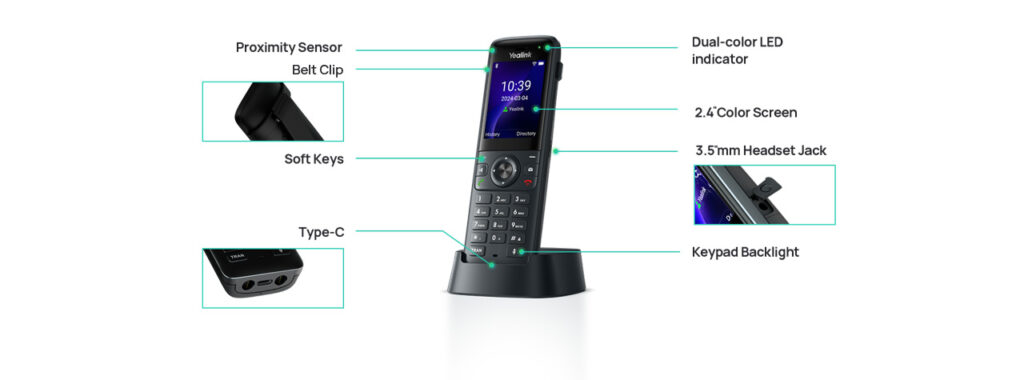
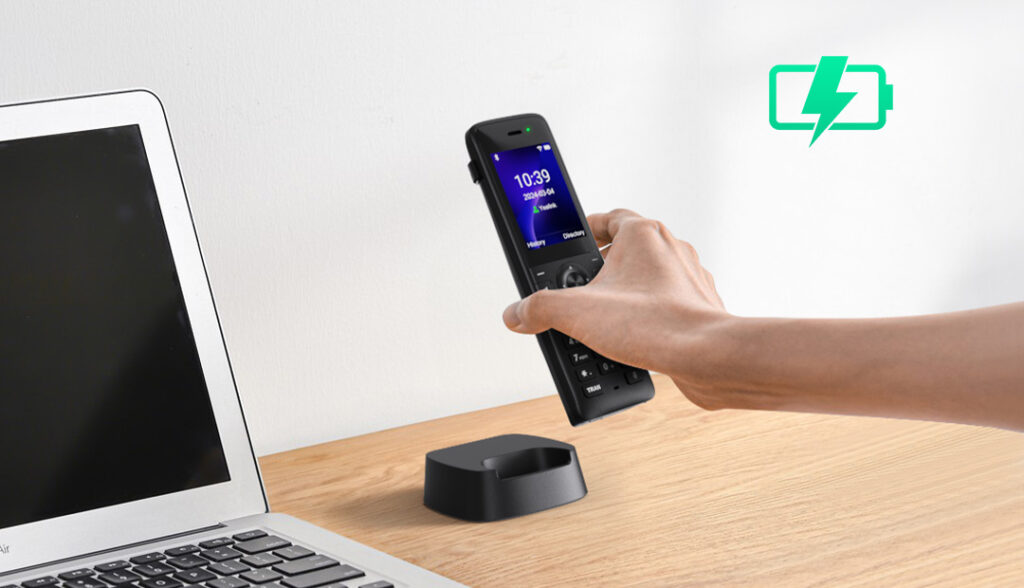
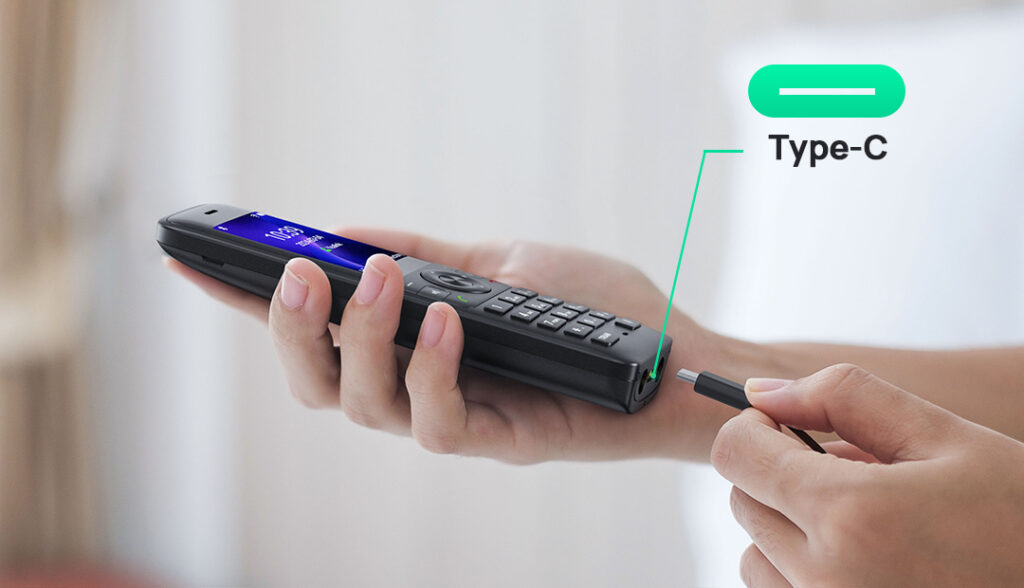
The handset supports multiple VoIP accounts, features a colour display, HD audio, and built-in Bluetooth for headset use. With dual-band WiFi and seamless roaming, it is designed to maintain call quality while moving around larger spaces, making it suitable for offices, warehouses, and other professional environments.
Yealink AX86R WiFi Rugged Handset
The Yealink AX86R is a rugged, portable WiFi-based VoIP handset designed for demanding business environments. It connects directly to your wireless network without the need for a base station, allowing users to make and receive calls while moving freely around a site.
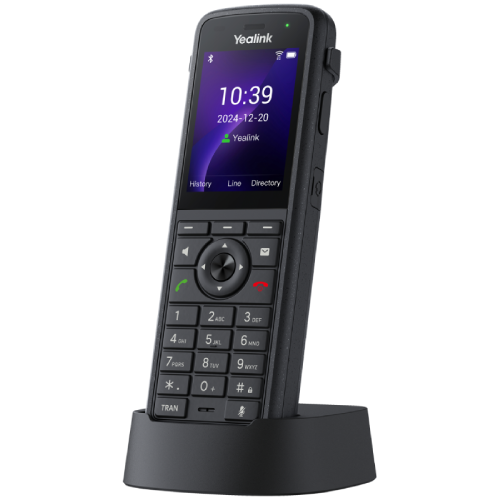
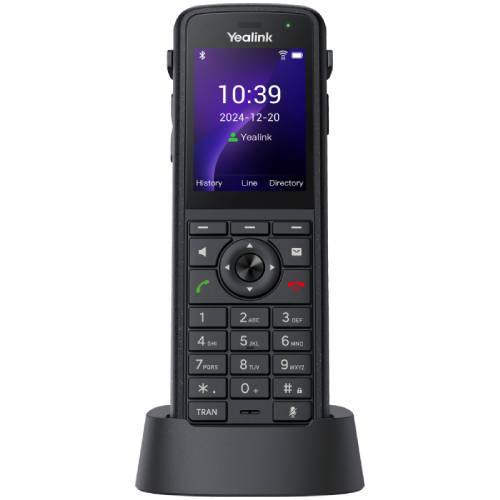
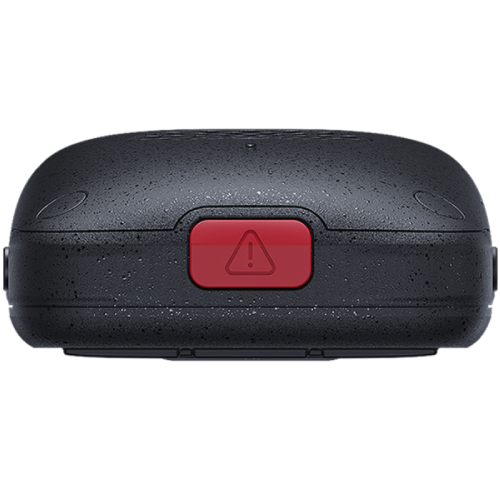
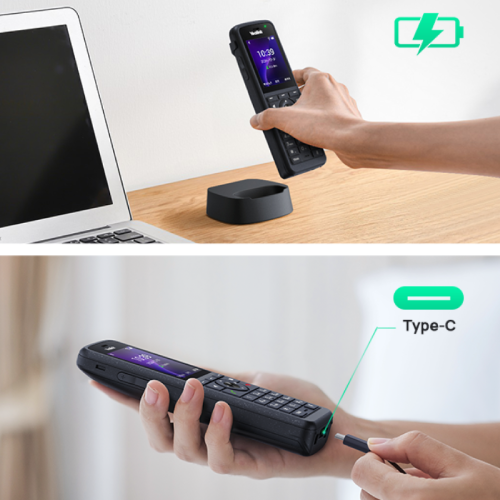
Built for durability, the AX86R is waterproof, dustproof, and drop-resistant, making it suitable for environments such as warehouses, healthcare, and manufacturing. It features a colour display, HD audio with noise cancellation, built-in Bluetooth for headset use and supports multiple VoIP accounts.
The handset also includes advanced safety features such as emergency alarms (including man-down and no-movement detection), along with a long-lasting battery providing up to 13 hours of talk time, making it ideal for workers in mobile or high-risk roles.
Fanvil Linkil W620W WiFi Handset
The Fanvil Linkvil W620W is a portable WiFi-based VoIP handset designed for business environments, connecting directly to your wireless network without the need for a base station. This allows users to move freely around a building while staying connected to their VoIP service.
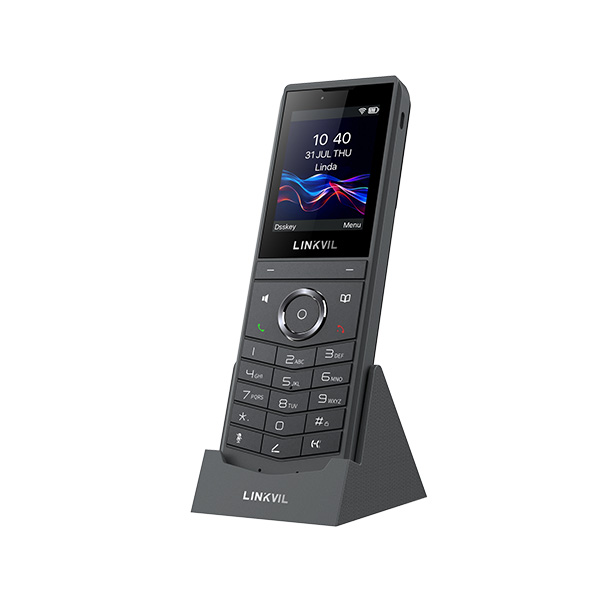
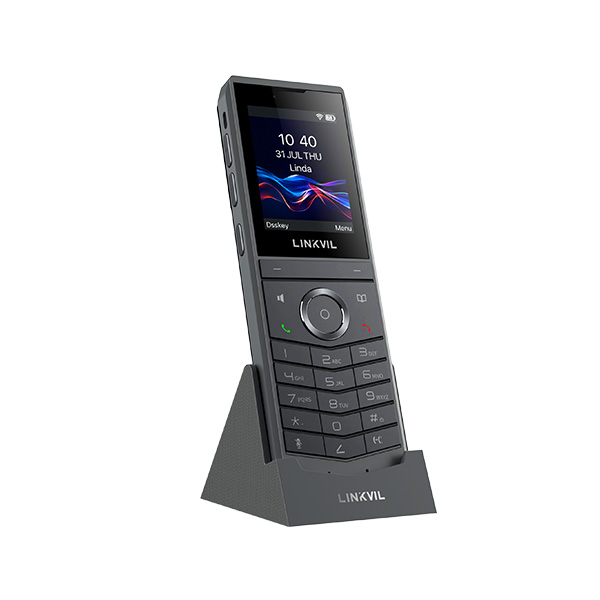
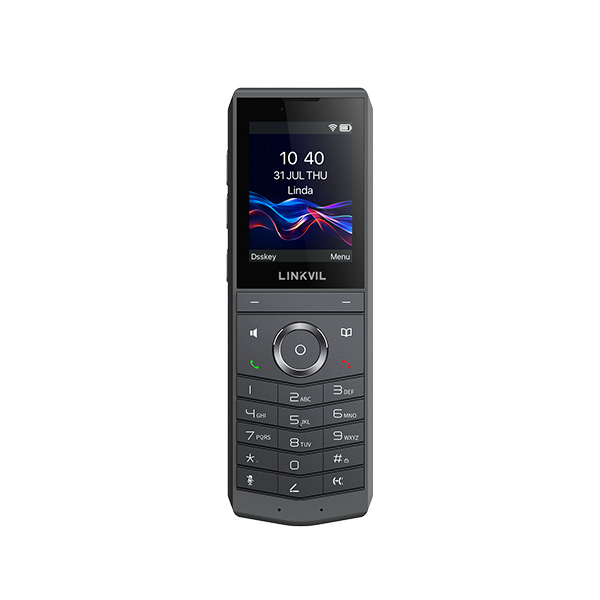
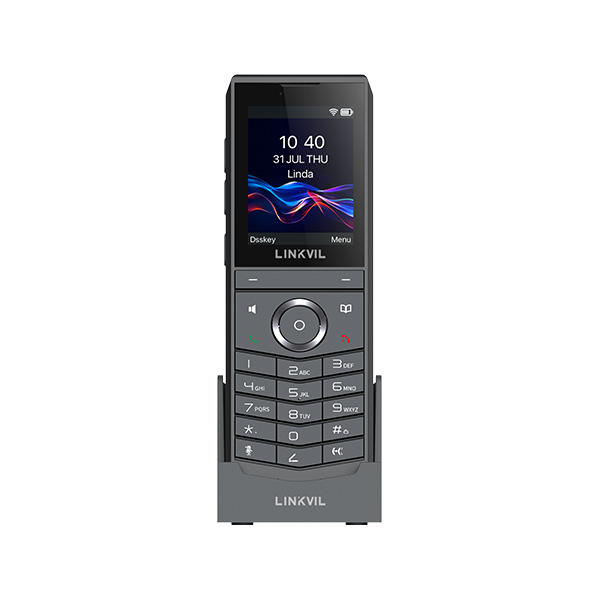
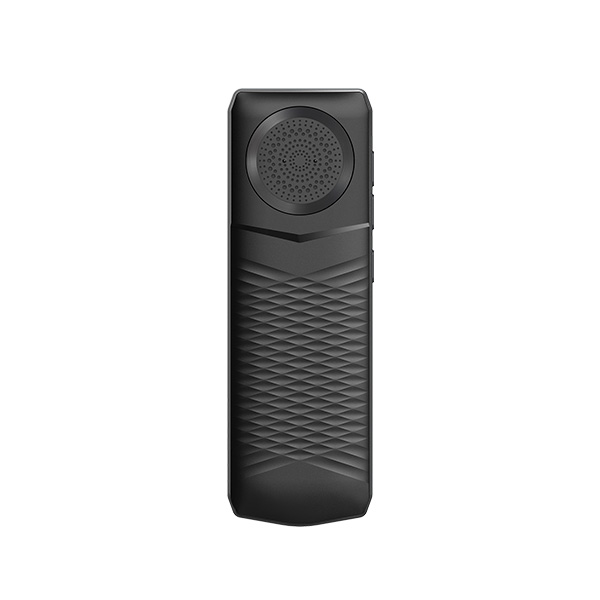
The handset features a colour display, HD audio with dual-microphone noise reduction, and supports multiple VoIP accounts. With dual-band WiFi 6, Bluetooth support for headset use, and seamless roaming between access points, it is built to maintain reliable call quality in larger or busy wireless environments.
It is also designed for durability and extended use, offering long battery life, drop resistance, and features such as push-to-talk for quick communication, making it suitable for workplaces such as warehouses, hospitality, and healthcare settings.
↑ Back to topFrequently asked questions
1. Can I still use my existing landline phone?
Yes, you can continue using your existing handset with a VoIP adapter or through your broadband router, depending on your setup and providers.
2. Do I need a VoIP adapter?
Not if you only wish to use the VoIP App, if you wish to use your existing landline phone with us, then you will need a VoIP Adapter provided by us.
3. Will my extension sockets still work?
Extension sockets may not work in the same way after switching to VoIP. Plug-in extensions can sometimes be used, but hard-wired extensions won’t be reusable.
4. What is Digital Voice?
Digital Voice is a more basic version of VoIP and lacks a lot of the benefits of a VoIP service. Digital Voice is a service provided by broadband providers that moves your landline service from the traditional phone network to your internet connection.
5. Can I move away from BT or other providers?
Yes, you can move your landline number to an independent VoIP provider and use it with any broadband connection.
Explore More Guides & Advice
Looking for more help with VoIP, landline setup, wiring or switching? Browse our full collection of guides to find the right solution for your home or business.
View All Guides